
- English
- Deutsch
- Español
- Français
- Italiano
- Português
Most teams piece together three or four free network monitoring tools to get basic visibility: one for availability checks, another for traffic, something else for server health, and maybe a dashboard bolted on top. Paessler PRTG replaces that stack with a single monitoring solution. You get device availability, bandwidth monitoring, server health, and alerting in one interface, with dashboards and historical data included from the start.
No stitching tools together. Just one place to see what's happening across your network.
What PRTG monitors: Routers · Switches · Firewalls · Windows, Linux, and macOS servers · Network devices via SNMP, WMI, ICMP/Ping · Databases · NetFlow, sFlow, jFlow, IPFIX · Syslog · SNMP Traps · HTTP · Microsoft environments · Applications

Open source tools like Nagios Core and Zabbix offer real monitoring capability, but getting there takes work. Nagios needs plugin installation, config files, and dependency management before it monitors anything useful. Zabbix requires trigger logic and template configuration upfront. For a sysadmin on a lean IT team, that's days of setup time, not hours.
PRTG takes a different approach. Install it on Windows, and the Smart Setup wizard walks you through initial configuration on first launch. No Linux environment. No plugin repositories. No config files to write from scratch.
Manual device inventories are out of date the moment you finish them. Someone adds a switch, swaps a firewall, spins up a new server. Your spreadsheet doesn't know about it.
PRTG's auto-discovery scans your defined IP address ranges, identifies devices via ARP, assigns device types automatically, and creates a starting sensor set for each one. You don't enter devices manually. You define the IP range, run discovery, and PRTG gives you a mapped view of what's on your network, giving you a solid foundation for network management.
The dashboard shows topology, connectivity status, and device health at a glance. Schedule re-discovery to keep the inventory current as your environment changes.
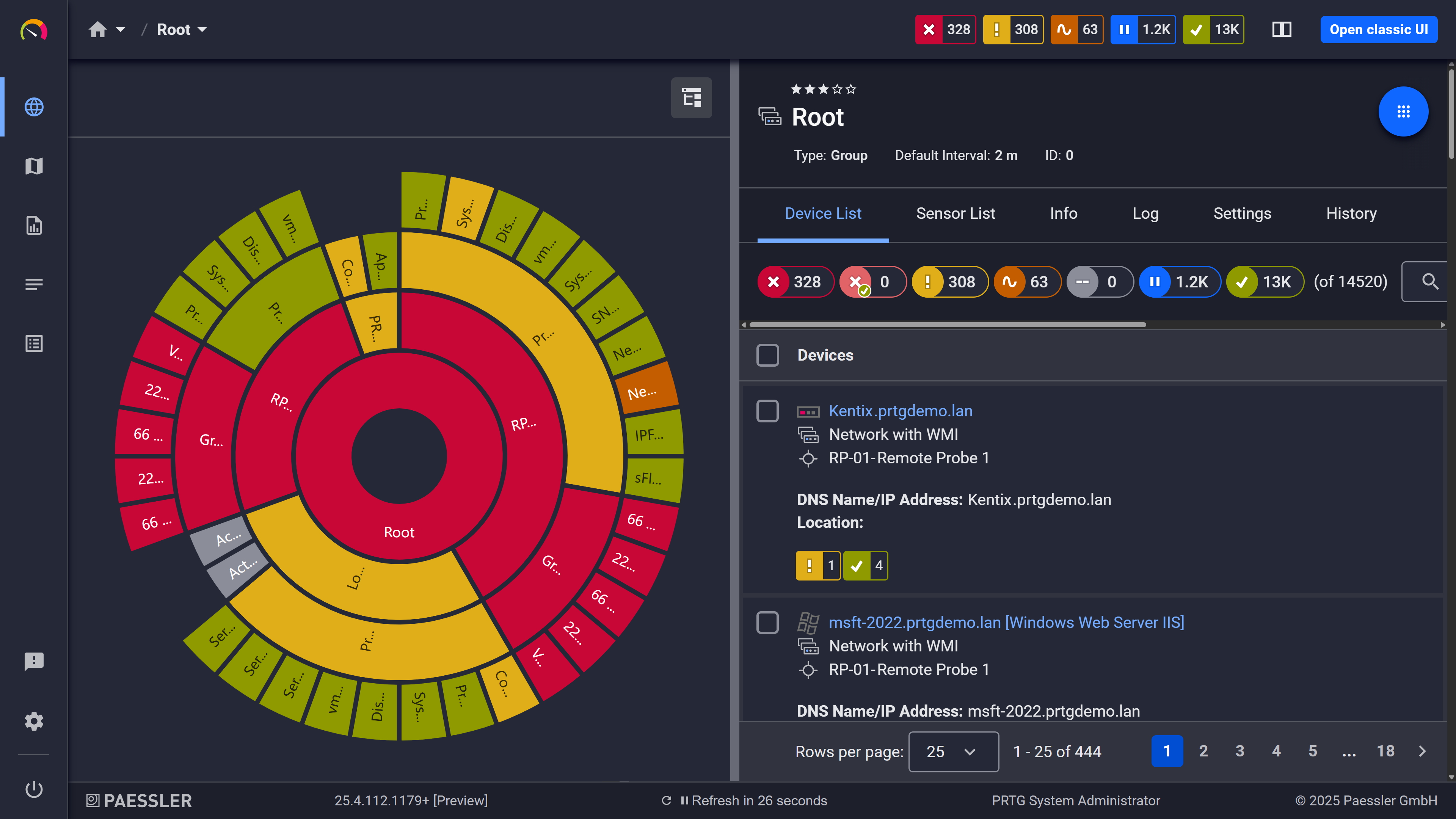
Your entire network, visualized instantly

Full device list, instant overview
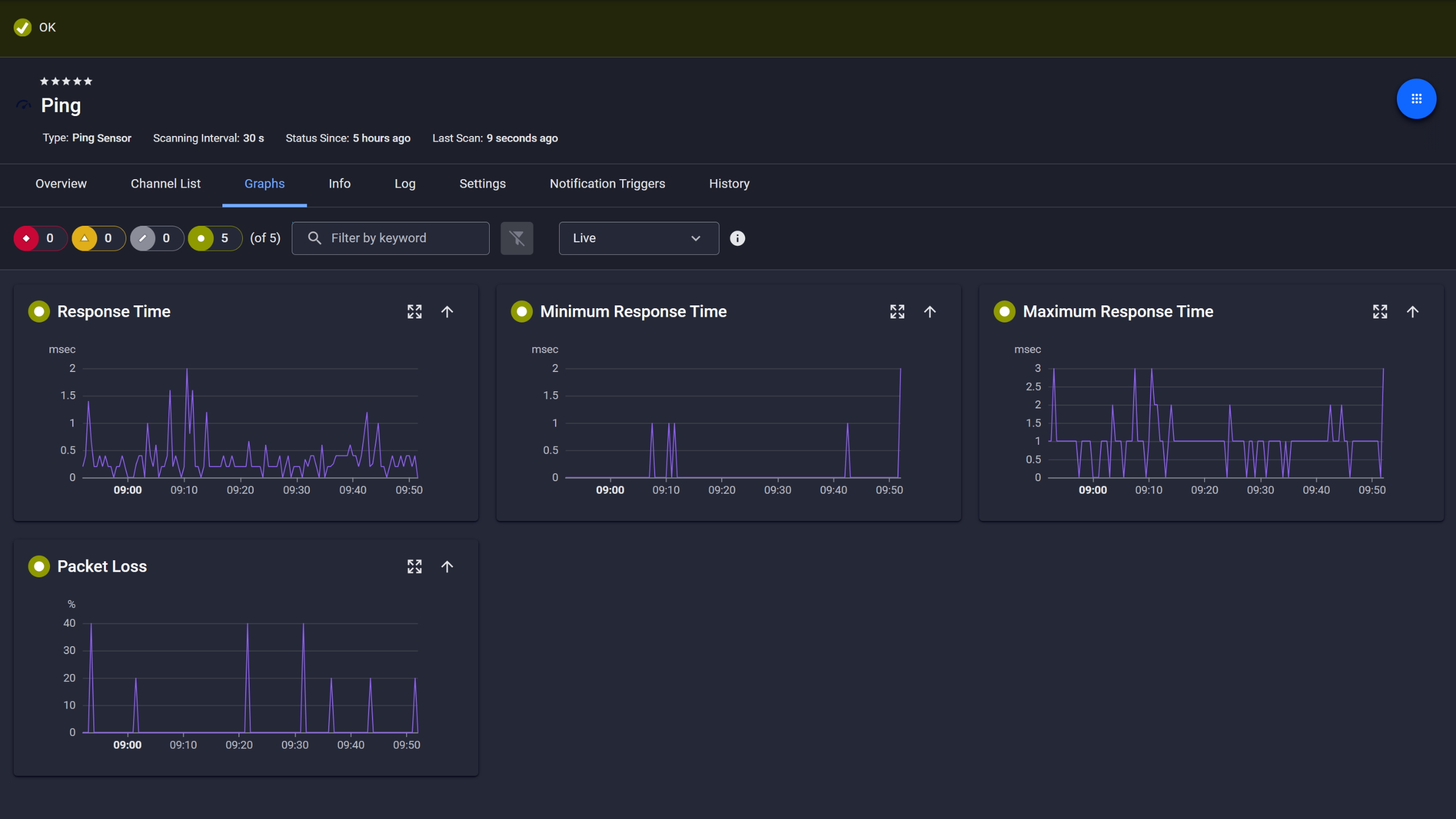
Ping response and packet loss
Start monitoring your infrastructure in minutes. No professional services, no complex configuration, no risk.
If the first sign of a problem is a user complaint or a helpdesk ticket, your monitoring isn't doing its job.
PRTG watches device availability and network performance metrics continuously. When a threshold is breached (an interface goes down, disk space hits a limit, response time spikes), PRTG sends a notification. You know about downtime before your users do.
You control who gets notified, how, and when. Escalation schedules let you route alerts to the right person at the right time, not just blast everyone on the team.
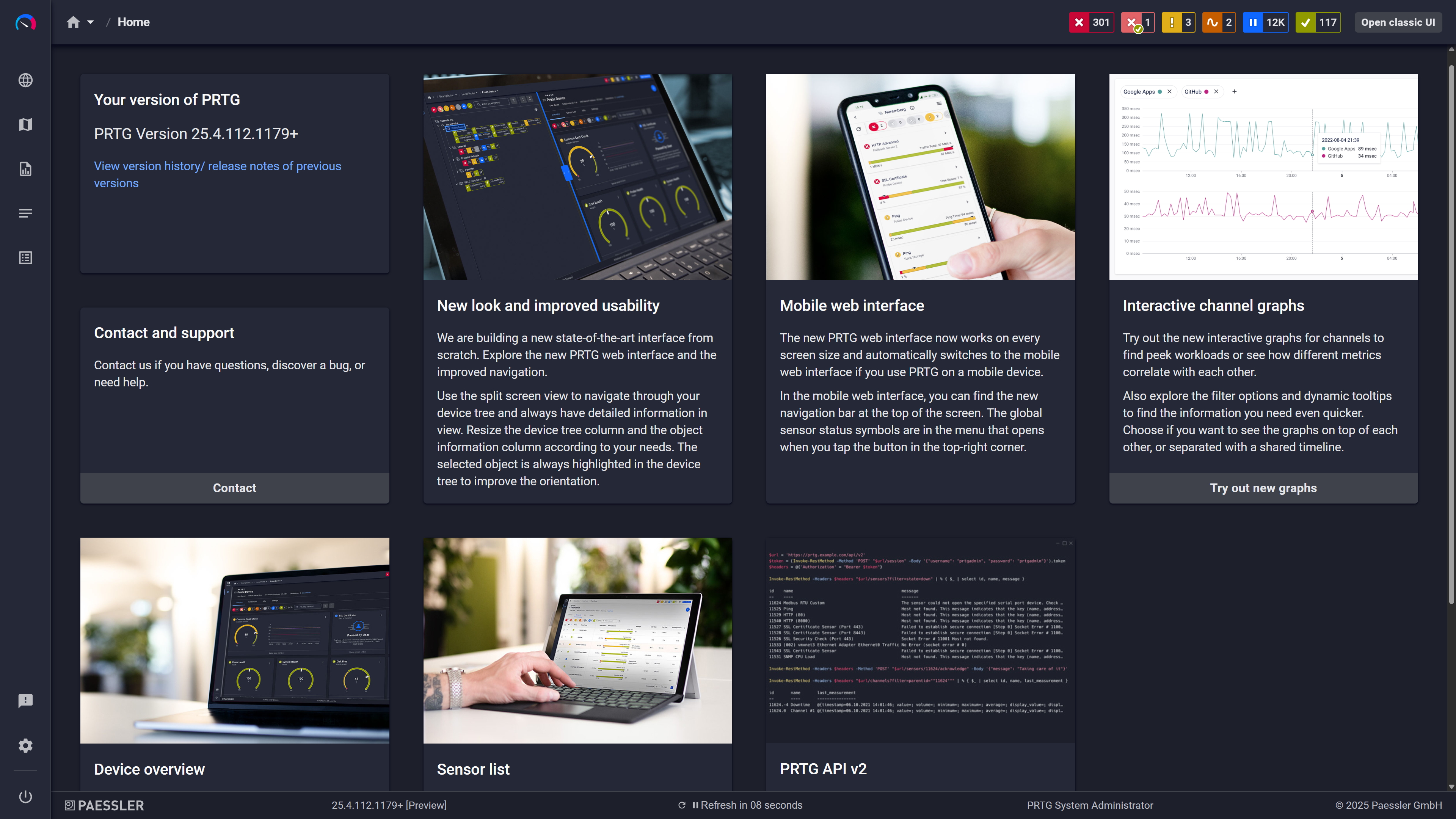
Modern interface, everything within reach
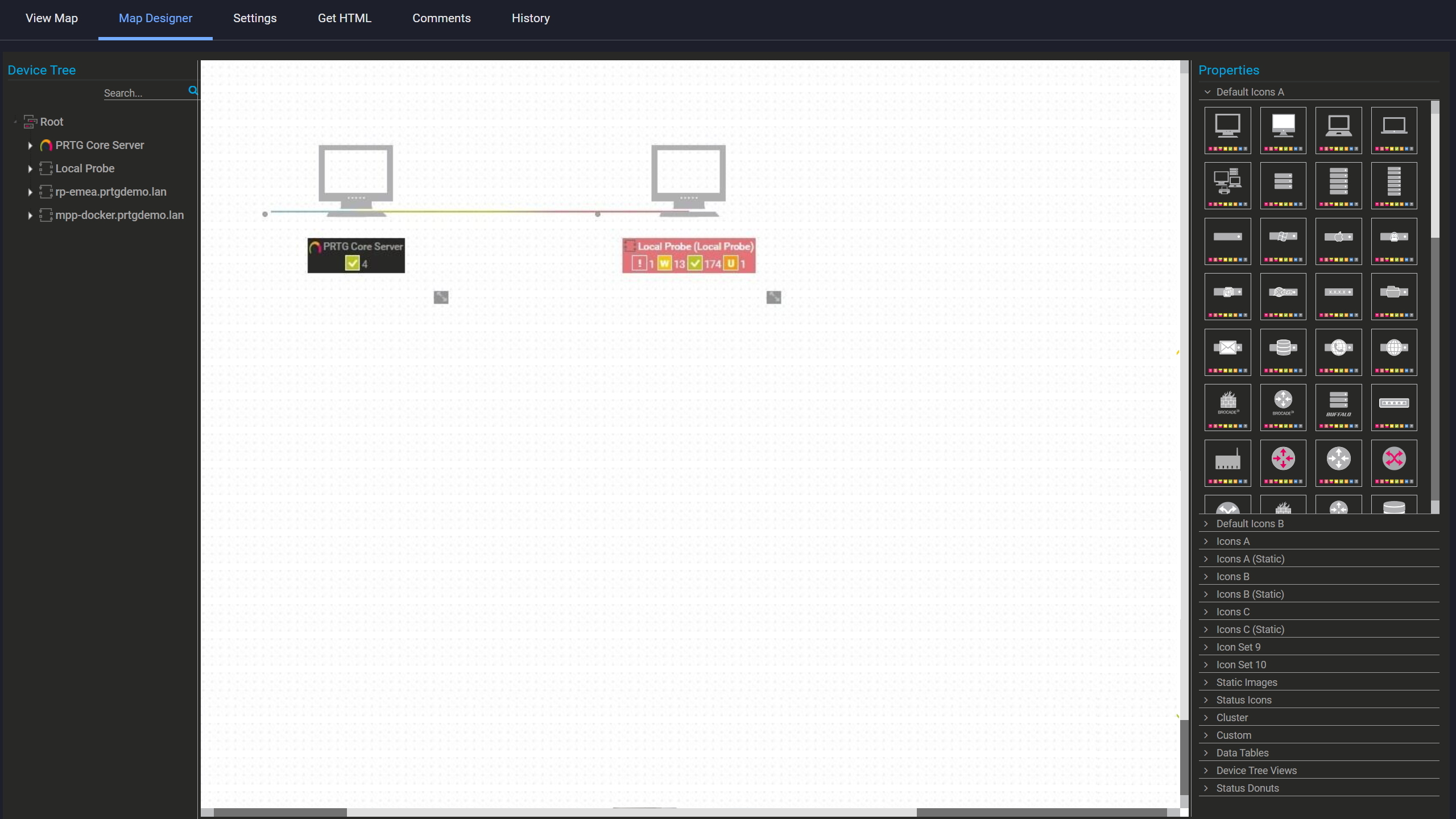
Build your own network map

Scheduled reports, always on time
A lot of "free" monitoring tools come with a catch. They cap you at five devices. They go read-only after 14 days. They hide the features you actually need behind a paywall from the start.
PRTG's 30-day trial gives you full, unrestricted access. No credit card. No commitment. You can test it against your actual infrastructure: your routers, your servers, your Windows machines. Not a sanitized demo environment.
After the on-premises trial, the freeware edition is available. As your infrastructure monitoring needs grow, PRTG's sensor-based licensing scales with you. You pay for what you monitor, nothing more. And whether you're running it on-premises or prefer a hosted option, the monitoring stays the same.
PRTG uses multiple protocols simultaneously, each suited to different device types and data sources. Here's what each method collects and where it applies.
Task | Without a dedicated tool Without a dedicated tool | With PRTG With PRTG |
|---|---|---|
Device inventory | Without a dedicated tool Manual spreadsheet or periodic scans | With PRTG Automated network discovery across IP ranges |
Availability monitoring | Without a dedicated tool Manual ping commands, no history | With PRTG Continuous ICMP checks with threshold alerts |
Traffic analysis | Without a dedicated tool CLI queries per device, no visualization | With PRTG NetFlow/sFlow dashboards with Top Talkers, so you can optimize bandwidth allocation |
Windows server health | Without a dedicated tool RDP into each machine individually | With PRTG WMI-based collection across all monitored servers |
Outage notification | Without a dedicated tool User complaint or helpdesk ticket | With PRTG Email/push alert at the moment of breach |
Choose the PRTG Network Monitor subscription that's best for you.
| License Name | License description | Price | License Details | Get started | Pricing Details | |
|---|---|---|---|---|---|---|
| PRTG 500 | $200 | per month paid annually | Buy nowBuy now | Enough to monitor multiple aspects of 50 devices | ||
| PRTG 1000 | $358 | per month paid annually | Buy nowBuy now | Enough to monitor multiple aspects of 100 devices | ||
| PRTG 2500 | $742 | per month paid annually | Buy nowBuy now | Enough to monitor multiple aspects of 250 devices | ||
| PRTG 5000 | $1,300 | per month paid annually | Buy nowBuy now | Enough to monitor multiple aspects of 500 devices | ||
| PRTG 10000 | $1,642 | per month paid annually | Buy nowBuy now | Enough to monitor multiple aspects of 1000 devices |

Full access during the 30-day trial. All sensor types, alerting, dashboards, historical data, no artificial limits.
After that an on-premises freeware edition stays available with up to 100 sensors, which is enough for a small environment or keeping basic monitoring running while you figure out whether you actually need more. One thing to note: PRTG Hosted Monitor has a 10-day trial and no freeware edition after. The free tier is on-premises only.
Setup time, mostly. Nagios Core runs on Linux and needs manual plugin installation before it monitors anything. Zabbix requires trigger logic and item configuration upfront. Both are capable tools, but they assume someone on your team has time and inclination to do that work.
PRTG ships with a guided setup wizard, pre-configured device templates, and runs on Windows. Most environments are producing real data within the first day. Whether that matters depends on your team honestly, and how that initial setup time gets valued against everything else competing for it.
Yes, both. SNMP and flow-based monitoring (NetFlow, sFlow, jFlow, IPFIX) are available in the trial and the freeware edition. The 100-sensor limit in the freeware edition applies across everything, so coverage depends on how many sensors your specific devices need. During the 30-day trial none of that applies.
During the trial, no limits at all.
After that the freeware edition gives you 100 sensors and the practical device count varies quite a bit depending on how you use them. A router with one interface check is very different from a Windows server monitored for CPU, memory, disk and running services. That second one can consume eight to ten sensors on its own. Map out what your environment actually needs before the trial ends, as the ceiling lands in different places for different setups.
The on-premises installation runs on Windows. No Linux environment needed to run PRTG itself, which is a practical difference from Nagios Core that sometimes gets overlooked when people are comparing tools.
Monitored targets are a different question. Linux, macOS, network devices, cloud services, all covered. And if maintaining a Windows server installation isn't something your team wants to own, PRTG Hosted Monitor takes that off the table.
Usually when the environment grows past 100 sensors, or when you need remote probes for distributed monitoring, more reporting depth or support. Sometimes just support on its own is enough.
Pricing scales with sensor count, so there's no cliff between free and paid. Most teams notice the limit when they start wanting more interface coverage per device or bring a new site in. The per-sensor model means you add what you need, not a tier that includes things you don't.
Network Monitoring Software – Version 26.1.116.1532 (February 9th, 2026)
Download for Windows and cloud-based version PRTG Hosted Monitor available
English, German, Spanish, French, Portuguese, Dutch, Russian, Japanese, and Simplified Chinese
Network devices, bandwidth, servers, applications, virtual environments, remote systems, IoT, and more
Choose the PRTG Network Monitor subscription that's best for you



